What is it?
Ksumiyo turns text prompts into original music for creators who want more than a blank prompt box. Describe a mood, scene, lyric, story, or video idea, then shape the sound before the track is generated.
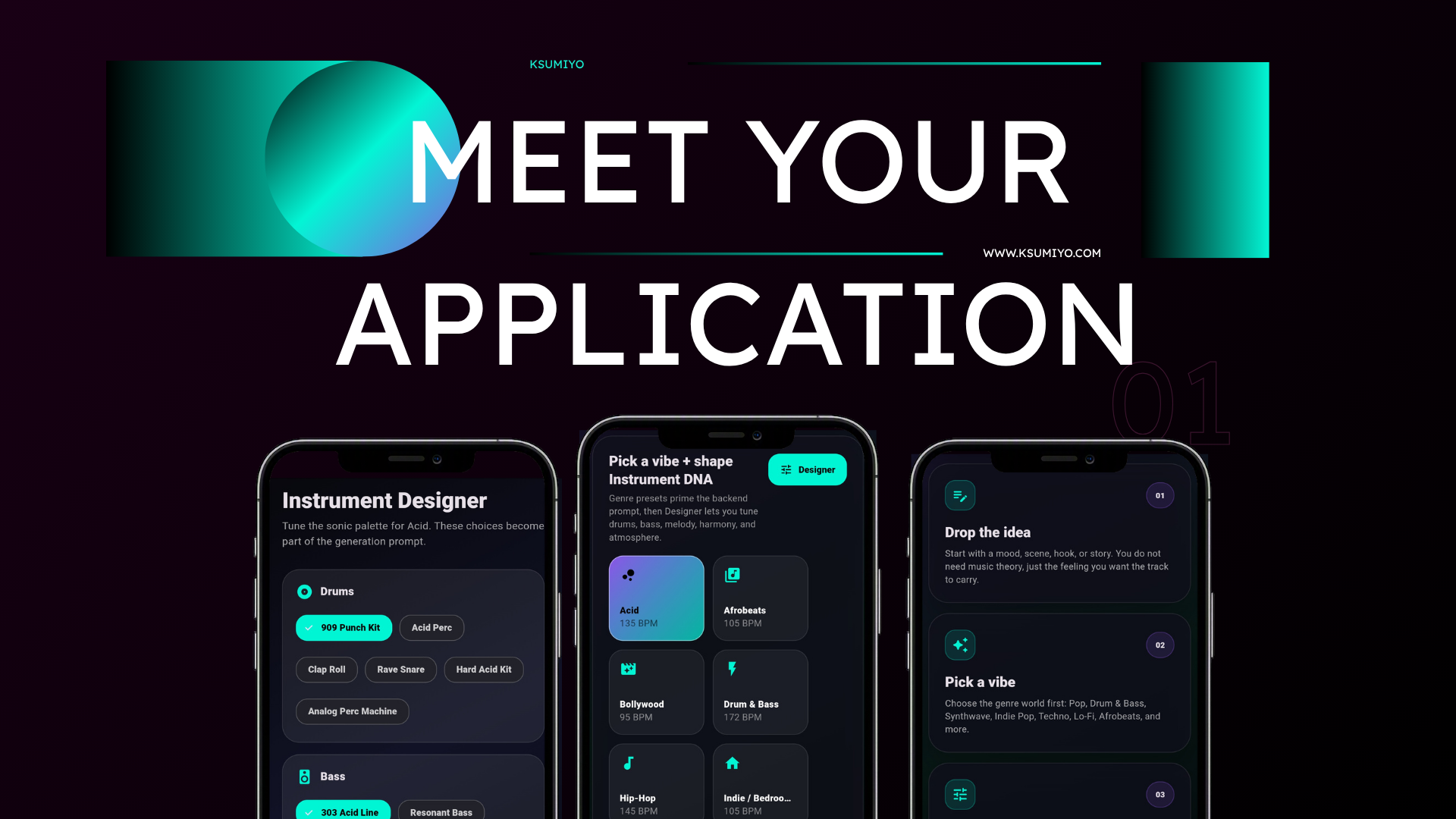
Text to music AI
Ksumiyo turns text prompts into original music for creators who want more than a blank prompt box. Describe a mood, scene, lyric, story, or video idea, then shape the sound before the track is generated.
Use text-to-music AI with vibe presets, BPM, duration, key, and Instrument DNA controls for drums, bass, melody, harmony, and atmosphere.
Built for
Creative control
Quick answers
Ksumiyo turns text prompts into original music for creators who want more than a blank prompt box. Describe a mood, scene, lyric, story, or video idea, then shape the sound before the track is generated.
AI music generator from text for YouTube videos, Shorts, Reels, and podcasts Free text to music generator workflow for testing songs, beats, hooks, and background music Ksumiyo is built for creators, teams, and beginners who want original music without opening a traditional production setup.
Write the music idea in plain language, such as a mood, lyric, scene, or YouTube video brief. Choose a vibe that matches the genre, audience, and energy of the project. Set duration, BPM, and key so the song fits the video, podcast, game, or business use case. Use Designer to shape drums, bass, melody, harmony, and atmosphere before generating. Generate, listen, download, or remix the Track DNA for another version.
AI music generator from text for YouTube videos, Shorts, Reels, and podcasts Free text to music generator workflow for testing songs, beats, hooks, and background music AI text to song creation from lyrics, moods, stories, scenes, and creator briefs Prompt-to-music ideas for games, films, ads, business videos, student projects, and social posts Hindi, Hinglish, and English text prompts for India-focused creator music
Ksumiyo currently includes free generation limits so visitors can try the studio, test ideas, and learn the workflow before account features expand.
Ksumiyo is designed for royalty-free creator and commercial workflows, subject to the Terms and Music Rules. Keep your Track DNA for your own records.
Use text-to-music AI with vibe presets, BPM, duration, key, and Instrument DNA controls for drums, bass, melody, harmony, and atmosphere.
Workflow
Write the music idea in plain language, such as a mood, lyric, scene, or YouTube video brief.
Choose a vibe that matches the genre, audience, and energy of the project.
Set duration, BPM, and key so the song fits the video, podcast, game, or business use case.
Use Designer to shape drums, bass, melody, harmony, and atmosphere before generating.
Generate, listen, download, or remix the Track DNA for another version.
Why Ksumiyo
Many AI music tools ask you to write a perfect prompt. Ksumiyo gives you the prompt plus a control layer, so you can guide the producer before the track exists.
Prompt optional
Genre-first workflow
Instrument DNA
Remixable settings
FAQ
An AI music generator from text creates music from written prompts such as moods, scenes, lyrics, stories, or content briefs. Ksumiyo adds sound controls so the prompt does not have to do all the work alone.
Ksumiyo currently includes free daily generations, so creators can test text-to-music ideas before account and paid limits expand later.
Yes. You can write original lyrics or a hook, then use Ksumiyo's vibe, BPM, duration, key, and Instrument DNA controls to generate music around the text.
Include the use case, mood, genre, audience, language, instruments, energy, and duration. For example: upbeat Hindi travel vlog background music, warm percussion, catchy melody, clean mix, 60 seconds.
Ksumiyo is designed for creator workflows such as YouTube, Reels, podcasts, games, and business videos, subject to the Terms and Music Rules. Keep your prompt, Track DNA, and generation records.
Do not ask for a living artist, copied song, exact voice, famous melody, or copyrighted lyrics. Describe the mood, instruments, rhythm, structure, and use case instead.
Explore the cluster
Popular song ideas
AI music with creative control
Start with a vibe, shape the Instrument DNA, and generate music that fits the project.