What is it?
Ksumiyo helps creators turn ideas into original music while keeping the process simple enough for non-musicians.
AI music
Ksumiyo helps creators turn ideas into original music while keeping the process simple enough for non-musicians.
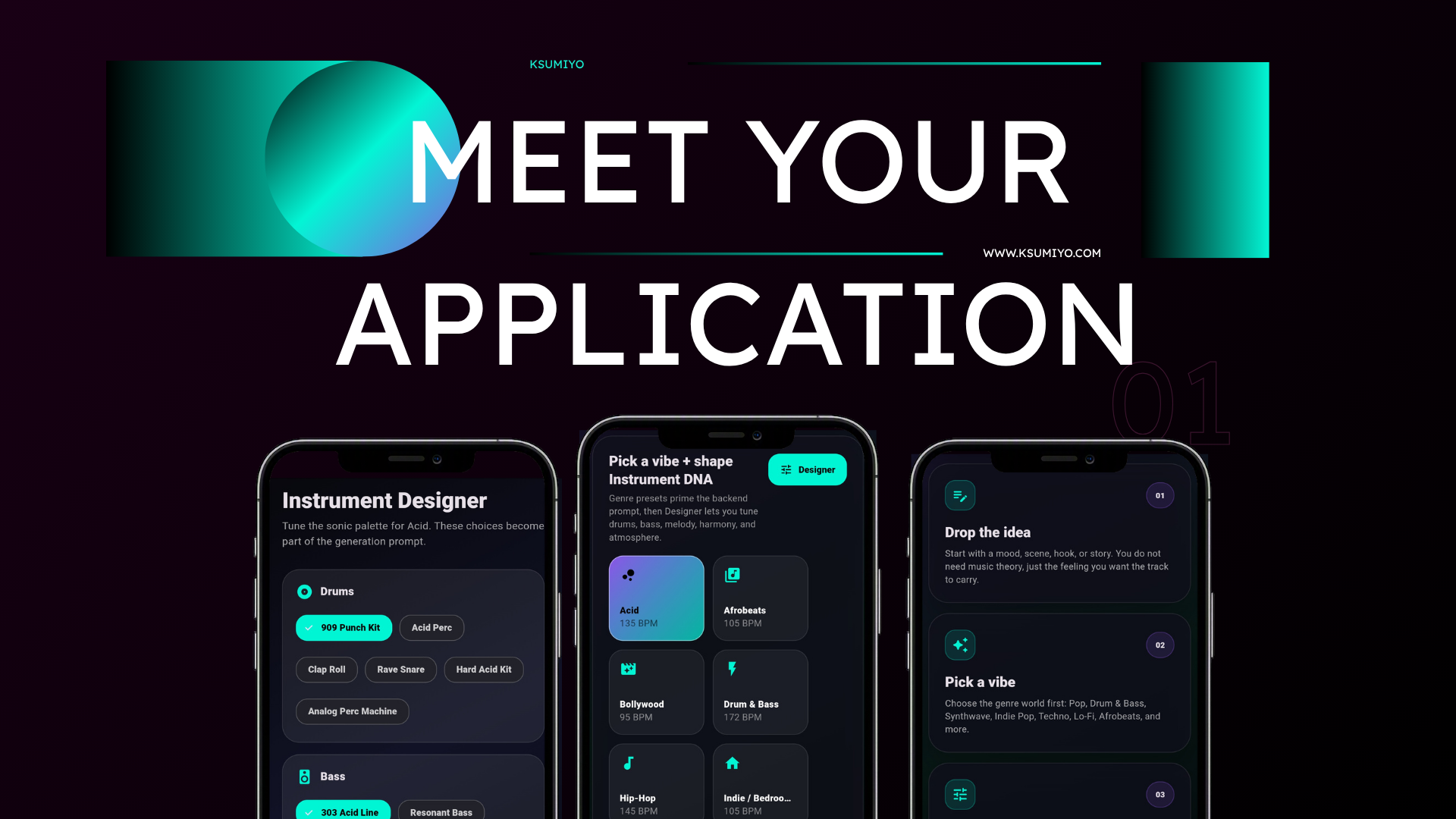
Write a mood, choose a vibe, shape the Instrument DNA, and generate a finished track with more control than a prompt-only workflow.
Built for
Creative control
Quick answers
Ksumiyo helps creators turn ideas into original music while keeping the process simple enough for non-musicians.
AI music for videos, shorts, reels, and ads Music ideas for podcasts, games, and films Ksumiyo is built for creators, teams, and beginners who want original music without opening a traditional production setup.
Start with a mood, story, scene, or blank canvas. Pick the AI music vibe that matches the project. Use Designer to shape the sound palette. Generate, listen, download, or remix.
AI music for videos, shorts, reels, and ads Music ideas for podcasts, games, and films Fast soundtrack drafts for creator projects Royalty-free audio concepts for commercial use
Ksumiyo currently includes free generation limits so visitors can try the studio, test ideas, and learn the workflow before account features expand.
Ksumiyo is designed for royalty-free creator and commercial workflows, subject to the Terms and Music Rules. Keep your Track DNA for your own records.
Write a mood, choose a vibe, shape the Instrument DNA, and generate a finished track with more control than a prompt-only workflow.
Workflow
Start with a mood, story, scene, or blank canvas.
Pick the AI music vibe that matches the project.
Use Designer to shape the sound palette.
Generate, listen, download, or remix.
Why Ksumiyo
Many AI music tools ask you to write a perfect prompt. Ksumiyo gives you the prompt plus a control layer, so you can guide the producer before the track exists.
Prompt optional
Genre-first workflow
Instrument DNA
Remixable settings
FAQ
AI music is music created with artificial intelligence from prompts, settings, or creative controls. Ksumiyo combines text prompts with producer-style sound choices.
Yes. It can help creators make background music, soundtrack drafts, loops, intros, and content music faster.
Controls make the result less random by letting you define the sound before generation begins.
Explore the cluster
Popular song ideas
AI music with creative control
Start with a vibe, shape the Instrument DNA, and generate music that fits the project.